WhatsApp Automation for Small Businesses: Reply Faster, Lose Fewer Leads
Greeting messages, quick replies, a catalog and follow-up reminders help you answer every WhatsApp enquiry on time, without losing the human touch.
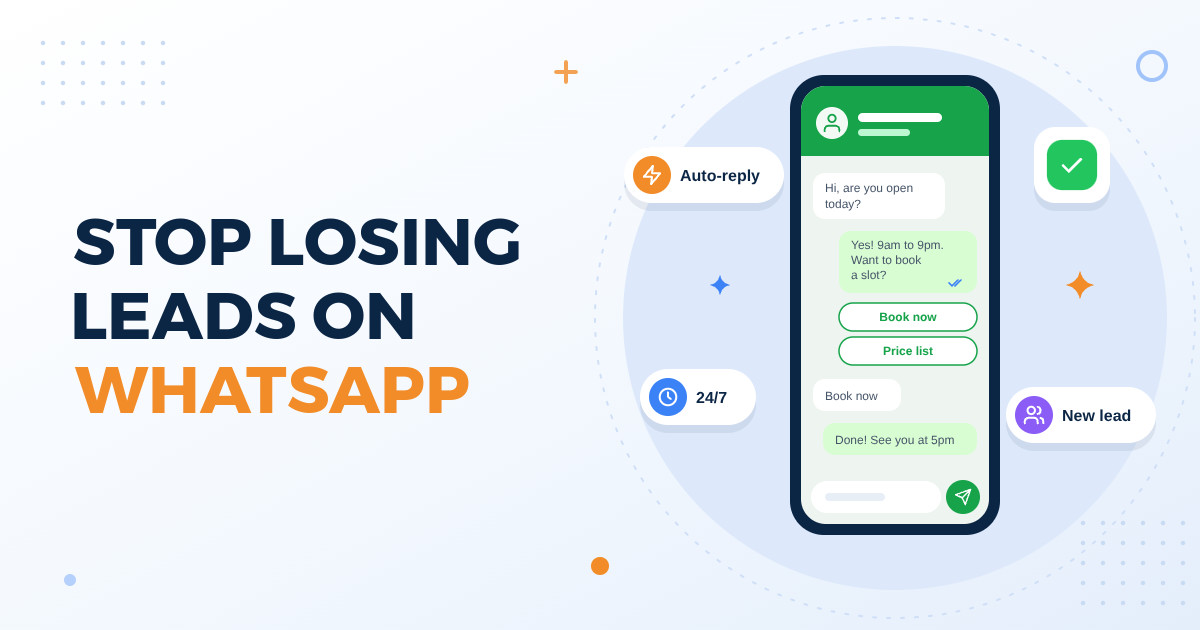
A parent asks about school admission fees at 9:30 at night. Someone sees your flat listing and sends just "price?" during your lunch break. A patient wants to know if the doctor is available tomorrow morning. For most shops, clinics, builders, schools and restaurants in Andhra Pradesh and Telangana, these questions arrive on WhatsApp, and they arrive when you are busy doing the actual work.
The problem is usually not a lack of interest. It is that by the time you reply, the person has already messaged two other businesses and gone with whoever answered first. WhatsApp automation will not do your selling for you, but used well it makes sure nobody waits in silence, the same questions do not eat up your whole day, and warm leads do not quietly go cold.
First, find out how many leads you are actually losing
Before you set anything up, spend one week looking honestly at your WhatsApp. A notebook or a simple sheet is enough.
At the end of the week, check how often the people you replied to quickly went on to buy or book. Apply that share to the enquiries that went silent, then multiply by your average bill or deal value. Even a rough figure tells you whether this deserves a few hours of setup or a bigger investment.
- Count how many fresh enquiries you receive each day, and note the time each one came in.
- Note how long each person waited for your first reply, especially messages that came after closing time.
- Mark which enquiries turned into a visit, booking or order, and which ones went silent.
- List the questions people ask again and again, such as price, location, timings, availability and delivery.
Greeting and away messages: nobody should wait in silence
A greeting message goes out automatically when someone messages you for the first time or after a long gap. An away message goes out when you are closed or busy. These two alone fix the most common problem: a customer messages you and hears nothing.
A good automatic message does three things. It thanks the person, tells them honestly when a human will reply, and gives them something useful right now. For example, a clinic could say: "Thank you for contacting us. Our team replies between 9 am and 7 pm. For appointments, please send the patient's name, preferred date and the doctor you want to see." The receptionist starts the morning with half the work already done.
- Avoid promising an instant reply if your team cannot keep that promise.
- Keep it short. Two or three lines get read; long paragraphs get skipped.
- Ask for the details you always need anyway, so your next message can be a real answer.
Quick replies, a catalog and labels: answer the same questions in seconds
Quick replies are saved answers you send with a shortcut instead of typing the same thing fifty times a day: your location with a map pin, your timings, your fee structure, how to pay, or your return policy. Write them once, carefully, and your whole team sends the same correct answer every time.
A catalog lets customers browse your products or services with photos, short descriptions and prices inside WhatsApp itself. A saree shop, a bakery taking cake orders or a mobile repair shop can share one catalog instead of twenty separate photos. It also ends the confusing back-and-forth of "which one, the blue one or the second one?"
- Start with the questions that topped your one-week count.
- Keep prices and stock in the catalog up to date. A wrong price on WhatsApp creates more arguments than no price at all.
- Use labels such as to reply, follow up, paid and completed so you can see at a glance who needs attention.
Follow-up reminders: where most leads are really lost
Many leads are not lost at the first message. They are lost after the customer says "let me check and tell you" and nobody ever messages them again. A school admission, a site visit for a flat, a quotation for interior work: these decisions take days, and the business that follows up politely usually stays in the picture.
At its simplest, follow-up is a daily routine: every evening, open the chats labelled follow up and send a short, personal message. As enquiries grow, a proper system can connect WhatsApp to a simple lead list, remind your team when a follow-up is due, and send pre-written reminders for things like appointment confirmations or fee due dates. The goal is that no promising lead depends on someone's memory.
- Follow up with something useful, such as fresh photos, a floor plan, a menu or available slots, not just "any update?"
- Space your follow-ups out. Two or three thoughtful messages work better than a push every day.
- Only message people who contacted you or agreed to hear from you. Unwanted bulk messages hurt your reputation and can get your number reported or blocked.
When to keep a human in the loop
Automation should handle the routine, not the relationship. Customers usually appreciate an instant answer about timings or location, but they still want a real person when money, health or a big decision is involved. Few things frustrate a customer more than being stuck in a loop of automatic replies when they have a real problem.
- Send complaints and angry messages to a person quickly, every time.
- Medical questions at a clinic must be answered by qualified staff, never by an automatic reply.
- Price negotiations, bulk orders and property deals need someone who can actually make decisions.
- Always give an easy way out, such as "reply 0 to talk to our team" or a phone number.
- Read a sample of automated conversations every week to see where people got confused.
Start simple, then decide what to build
The most common mistakes are setting up automation once and forgetting it, writing robotic messages that sound nothing like your business, and trying to automate everything on day one. Start with greeting messages, away messages and quick replies, track your numbers for a month, and then add the next piece.
For many small businesses, the built-in features of the WhatsApp Business app are enough to begin. Move to a bigger setup, such as a chatbot, a shared team inbox or a connection with your billing or booking software, only when you can clearly see the need. Before spending on it, ask yourself and any vendor these questions.
- How many enquiries do we get per day, and how many people are answering them?
- Which of our replies are truly repetitive, and which need judgement?
- Will this connect with what we already use, like our booking register, billing software or lead list?
- Who will update the replies and catalog when prices or timings change?
- Where are customer chats and details stored, and who on the team can see them?
- If the system stops working, how will customers still reach us?
WhatsApp is already where your customers talk to you. Automation simply makes sure every enquiry gets a quick, clear first response, the same questions stop eating your day, and warm leads get followed up instead of forgotten. Keep a real person ready for the conversations that matter, and grow the setup one step at a time.
If you would like help deciding what to automate first, or you want WhatsApp connected to your website, booking or lead system, the team at Knight21 in Kakinada would be happy to talk it through with you. You can reach us at knight21.in/contact. Your success is our mission.